
ROUTER PLACEMENT TIPS

Wi-Fi signal weak? What happens when you place a coin on your router
Wifi signal hacks: Placing a coin on a Wi-Fi router does not improve internet connectivity. Experts state metal objects can block Wi-Fi waves and restrict ventilation. Proper router placement in a central, elevated location is recommended for better signal distribution. Keeping the router away from obstructions and other equipment also enhances performance. Restarting the router and upgrading older equipment are effective solutions.
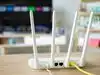
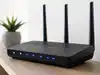
Hiding a Wi-Fi router in a cabinet or placing it at one end of the house can weaken coverage, because walls, distance, and nearby electronics can reduce or interfere with the signal before it reaches your devices
Router placement significantly impacts your home Wi-Fi performance. Hiding the router in cabinets or corners obstructs its signal propagation. Walls and certain household devices can also interfere with Wi-Fi signals. Positioning the router centrally and elevated improves overall network coverage. Simple adjustments can enhance your internet experience without new equipment.

Having Wi-Fi troubles? Here is what you should know
A poor Wi-Fi connection can also be caused by signal interference from other routers installed close by or due to some other electrical equipment.
Everyday tips for your home gadgets
Are your gadgets at home really performing at their full potential? ET present a collection of quick tips around the house that should make life a lot easier.

